Signature Visibility in the Outlook Mobile App
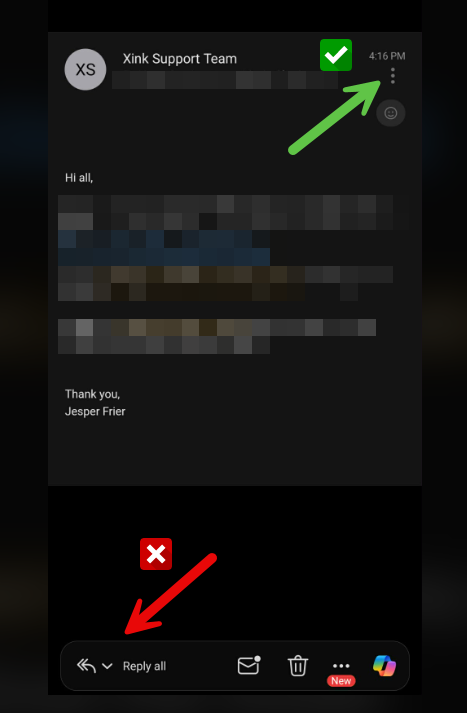
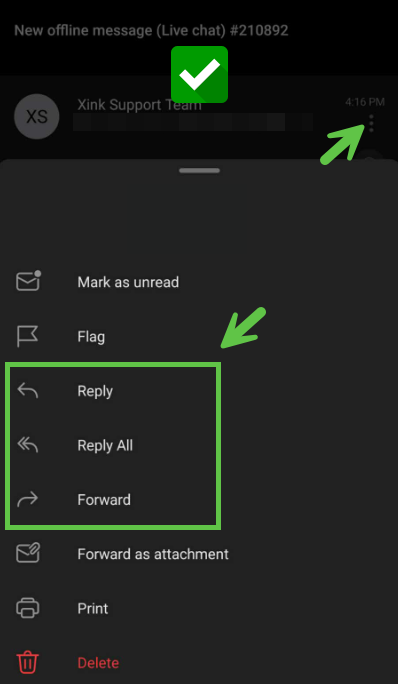
To ensure that your email signature is visible while composing a reply or forwarded message, please tap the three-dot menu (see green arrow) and choose Reply or Forward from that menu. This method loads the full email editor, where the signature is displayed.
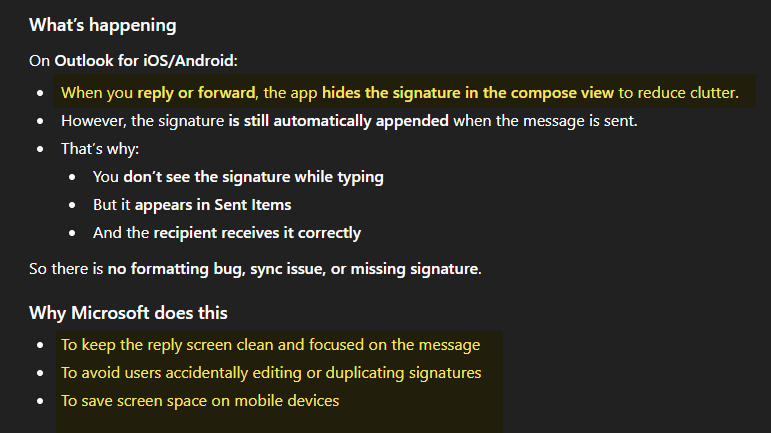
When replying using the quick reply field at the bottom of the screen (see red arrow), the Microsoft Outlook mobile app automatically hides the signature in the editor to reduce on-screen clutter.
Please note that even though the signature is not visible while composing, it is still applied to the email. Recipients will see the signature normally, and it will also appear correctly in your Sent Items.